What Fluxyn Is
An introduction to Fluxyn, where it fits in your stack, and why teams use it to move faster without losing control.
Fluxyn is a visual runtime for collecting events, shaping data, and sending that data to the systems that matter.
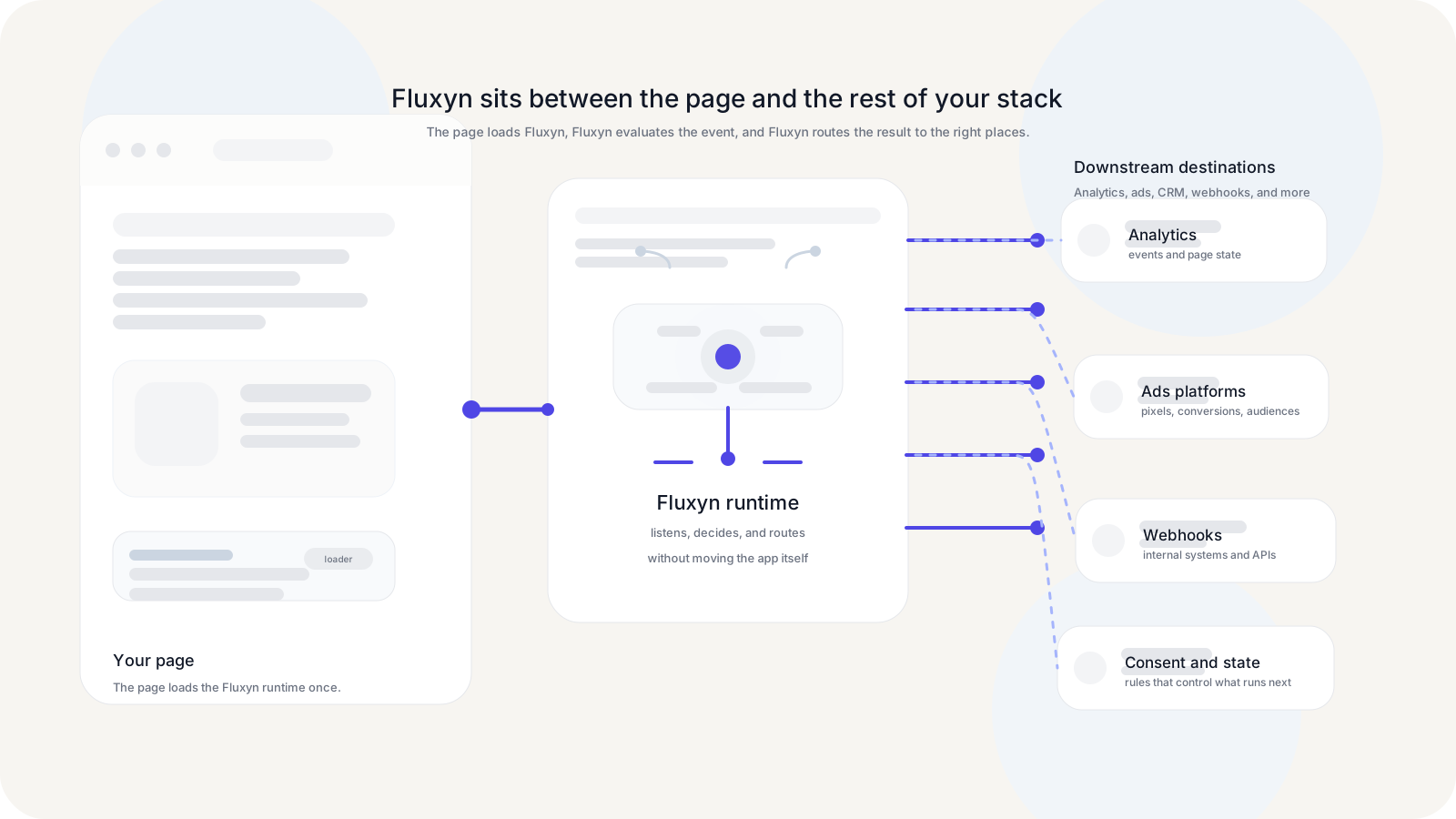
It is especially useful when the same team needs to do all of this at once:
- listen to browser activity or pushed events
- enforce consistent event logic
- respect consent and runtime readiness rules
- send data to analytics, ads, and internal endpoints
- keep changes out of the main application release cycle when possible
Why Teams Use Fluxyn
Most teams eventually hit the same wall: tracking changes look small, but they pile up. A new ad platform appears, consent rules change, product wants another click tracked, analytics needs one more parameter, and suddenly simple changes start competing with core product work.
Fluxyn gives those teams a better operating model:
- product and analytics teams can define behavior in flows instead of hand-editing site code for every change
- engineers still keep clear boundaries around domains, runtime behavior, and publishing
- vendor-specific logic can be wrapped in official nodes or reusable custom nodes
- state can persist across the session so later events have the context they need
- debugging can happen in Live Preview before a production release
What Fluxyn Helps You Do
- Listen to browser signals such as clicks, visibility, history changes, timers, and pushed events.
- Decide with filters, conditions, and branches.
- Shape payloads into the exact structure your downstream tool expects.
- Store context in page state so later events can reuse it.
- Route data to vendor tags, official integrations, and HTTP endpoints.
- Control timing with event queueing, consent state, and application branches.
The Core Mental Model
Think of Fluxyn as a client-side decision layer:
- The runtime loads on the page.
- A trigger notices that something happened.
- A flow evaluates the event and the current page state.
- Downstream nodes transform data, branch, store state, or call vendors.
- You validate the behavior in Live Preview and release when it is ready.
What Fluxyn does not do
Fluxyn is not a data warehouse, a BI tool, or a full CDP. It sits earlier in the path. Its job is to decide what should happen in the browser when an event occurs, and to make those decisions reliable, observable, and easy to maintain.
Also even though it's doable, we don't recommend using Fluxyn as an event dispatcher. Fluxyn works better by listening to events and making decisions based on them, not creating them.
Your application knows better than anyone when to create the events and the properties to send with it.
Tip
There are a few events that we dispatch automatically like fx.init, fx.dom_ready, fx.window_loaded etc, check the Triggers docs for more.
That separation is what makes Fluxyn powerful. Your website still owns the product experience. Fluxyn owns the event logic that needs to be fast to change and easy to reason about.
Typical Next Steps
If you want to become productive quickly, go in this order:
- Create your first application to build something real from end to end.
- Core Concepts to understand why the runtime behaves the way it does.
- Node Reference when you are choosing the right building block for a flow.
Fluxyn Documentation
Learn how Fluxyn captures events, manages runtime state, and ships vendor integrations without turning every tracking change into an engineering project.
Create Your First Application
A practical walkthrough for creating an application, installing the runtime, building a first flow, validating it, and publishing it.